Crash Reports
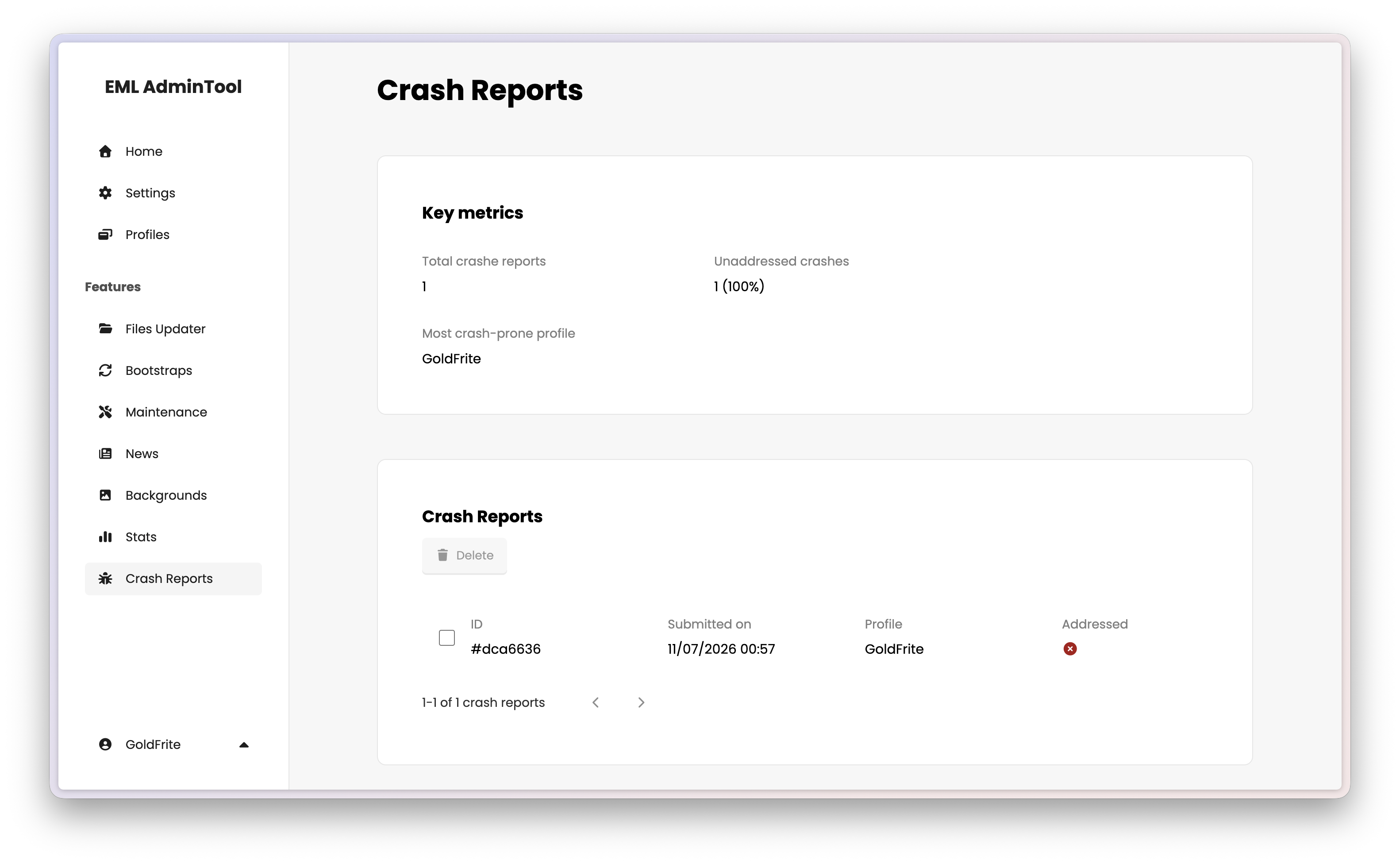
The Crash Reports page allows you to collect and manage crash reports from your players. You can view detailed information about each crash to quickly identify and fix issues in your Minecraft launcher.
Note
The Crash Reports feature is compliant with the European Union’s General Data Protection Regulation (GDPR). All data collected is anonymized and does not include personally identifiable information (PII) such as IP addresses or usernames.
See CrashReports in the EML Lib API Reference for more details.
Key metrics
The key metrics section displays the total number of crash reports, the number of unaddressed reports, and the most crash-prone profile. This helps you understand the overall stability of your launcher and prioritize fixes.
Crash report details
Reviewing a crash report
Each crash report includes information about the circumstances leading to the crash, such as the operating system, hardware specifications, and the sequence of actions taken before the crash occurred. This detailed information is crucial for diagnosing and fixing the underlying issues.
The modal view of a crash report shows four , tabs:
- Metadata: Displays the crash report’s unique ID, timestamp, details about the player’s hardware, and the status (addressed or unaddressed).
- Launcher logs: Shows the logs generated by the launcher leading up to the crash, which can help identify any issues with the launcher’s code or configuration.
- Crash report: Displays the crash report generated by Minecraft, which includes information about the game’s state at the time of the crash.
- Latest logs: Displays the latest logs generated by Minecraft, which can help identify any issues with the game’s code or configuration.
You can comment on a crash report and/or mark it as addressed to keep track of your progress in resolving issues.
Deleting crash reports
Select one or more crash reports and click the trash button at the top of the list to delete them permanently. This action is irreversible.