Bootstraps
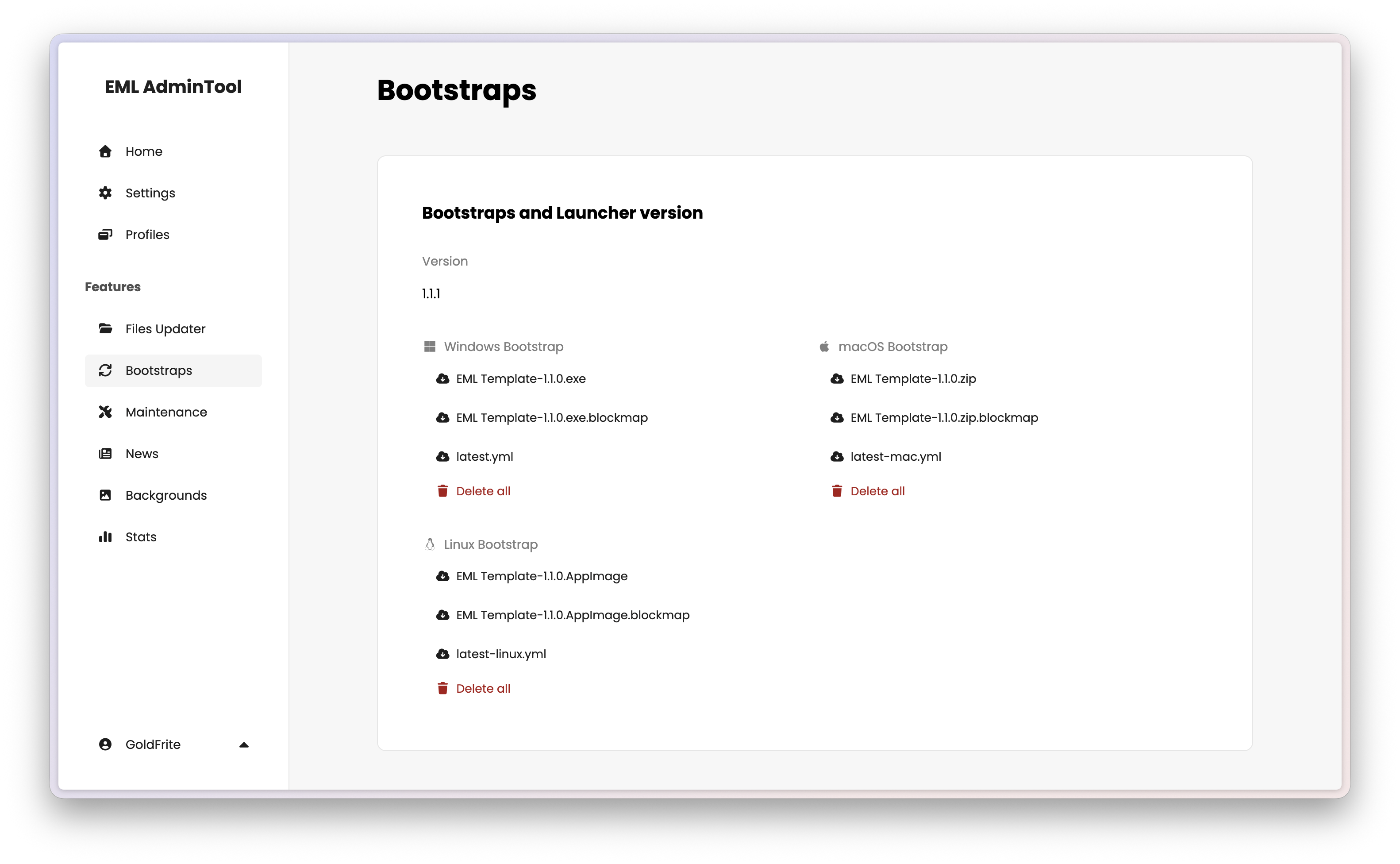
The Bootstraps section manages updates to the launcher executable itself — distinct from game files. When you fix a bug, redesign the interface, or add a new feature to your launcher, you publish a new version here. Players receive the update automatically the next time they start the launcher.
Note
Bootstraps update the launcher application. Game files and mods are managed separately in Files Updater. You will use Files Updater for the vast majority of updates; Bootstraps is only needed when you release a new version of the Electron app itself.
See Bootstrap in the EML Lib API Reference for more details.
How it works
- The player launches the application.
- EML Lib compares the launcher’s internal version (from its
package.json) against the version published on this page. - If the published version is higher, EML Lib downloads the bootstrap file for the player’s operating system.
- The launcher installs the update and restarts automatically.
The update uses blockmap-based differential downloads, meaning only the changed parts of the installer are downloaded — not the entire file.
Publishing an update
After building a new version of your launcher with npm run build, you need to upload three files per target platform.
Hover over the Bootstraps section and click the edit button to open the upload modal.
Required filestest per platform
| File | Example name |
|---|---|
| Installer | MyLauncher Setup 1.1.0.exe |
| Manifest | latest.yml |
| Blockmap | MyLauncher Setup 1.1.0.exe.blockmap |
| File | Example name |
|---|---|
| Archive | MyLauncher-1.1.0.zip |
| Manifest | latest-mac.yml |
| Blockmap | MyLauncher-1.1.0.zip.blockmap |
[!ATTENTION] The auto-updater uses the
.ziparchive for differential updates, not the.dmg. Make sure the file referenced insidelatest-mac.ymlis the one you upload.
Note
If you can’t find MyLauncher-1.1.0.zip and MyLauncher-1.1.0.zip.blockmap, you should try to look for MyLauncher-1.1.0-mac.zip and MyLauncher-1.1.0-mac.zip.blockmap. Depending on your electron-builder configuration, the output files may have -mac in their name.
| File | Example name |
|---|---|
| AppImage | MyLauncher-1.1.0.AppImage |
| Manifest | latest-linux.yml |
| Blockmap | MyLauncher-1.1.0.AppImage.blockmap |
You must keep the filenames generated by electron-builder exactly as-is. Do not rename them.
Click “Save” to publish. The upload may take some time depending on file size.
Tip
You can download the currently published bootstrap files by clicking the download icon next to each filename in the main view.
Safety checklist
An incorrectly published bootstrap can trap players in an update loop (update → restart → update → restart). Before publishing:
- Ensure all three files for each platform correspond to the same version.
- Install the new
.exemanually on a test machine before uploading. - Verify the version number in the
.ymlmanifest matches the version in yourpackage.json.
For more detail on building and packaging the launcher, see Packaging.