General settings
The Settings page is the main control panel for your EML AdminTool instance. From here you manage the panel’s identity, monitor infrastructure health, and configure system-wide options.
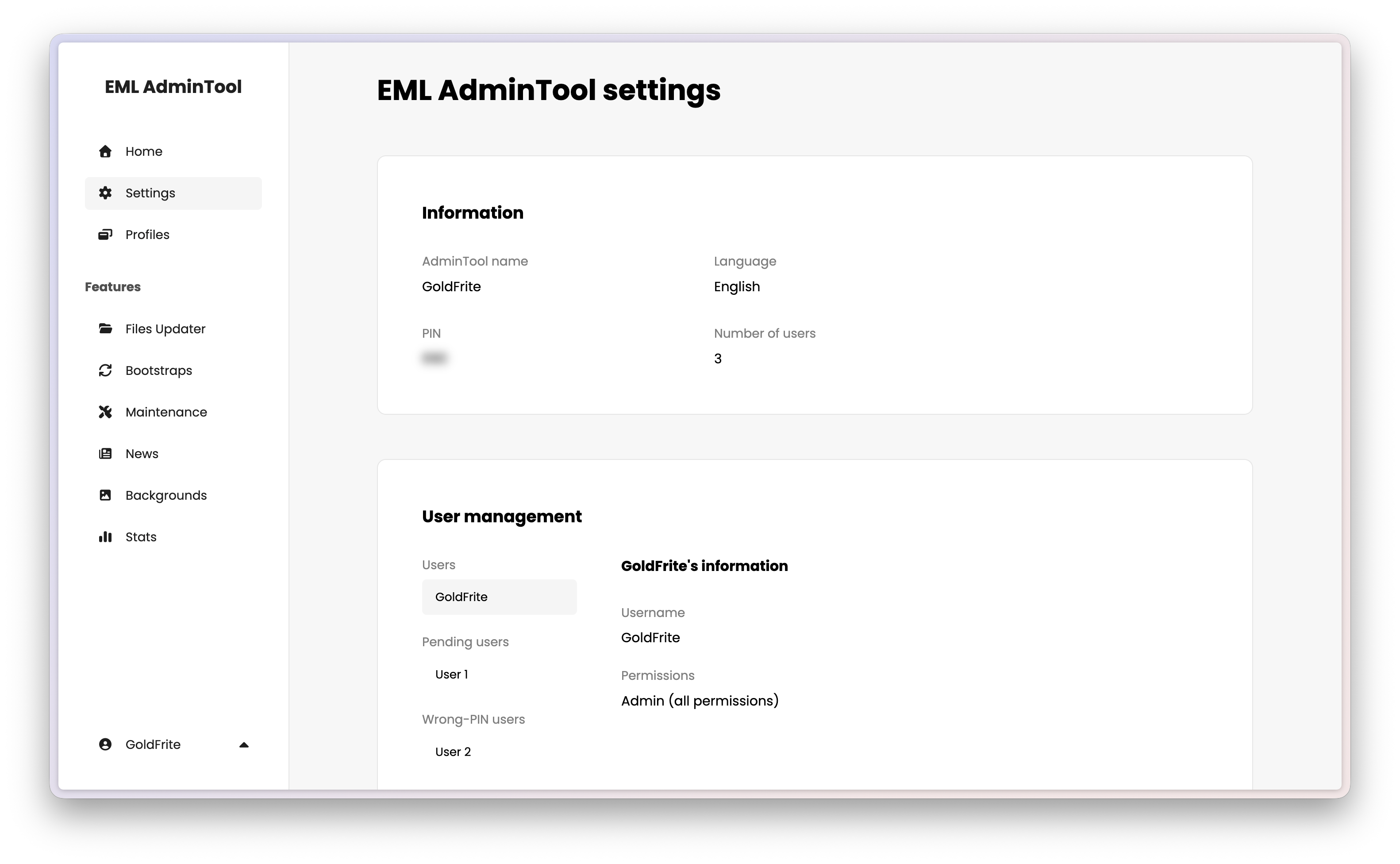
Information
The top section displays the current name and language of your instance. Hover over the section and click the edit button to modify the EML AdminTool name, language and PIN code.
Name — The global display name of your EML AdminTool instance, typically your Minecraft server name.
Warning
The panel name is linked to the administrator username. Changing “MyServer” to “NewProject” means you will need to log in as “NewProject” next time.
Language — The interface language for all users. Available options: English, French, German, Italian, Danish, Japanese.
PIN code — The registration code that new users must enter to create an account. Change it regularly and share it only with trusted staff.
Number of users — The total count of accounts (including pending, approved, and non-permanently deleted).
User management
EML AdminTool uses a request-and-approve model for staff accounts. New users cannot do anything until an administrator explicitly grants them permissions.
Registration flow
- Share the PIN code with the new staff member.
- They go to the EML AdminTool login page and select Create an account.
- They enter the PIN and choose a username and a password.
- Their account appears in the Pending users list on the Settings page.
Note
Users can log in before being approved, but they have no permissions and cannot access any feature. If the PIN is incorrect, they will not be notified — their account will appear in the Wrong-PIN users list instead of the Pending users list.
Approving a user
Click the check button next to a pending user to open the permission modal. Assign the permissions the user needs, then click “Save”.
| Permission | Description |
|---|---|
| Files Updater | Upload, edit, and delete game files per profile. |
| Bootstraps | Manage launcher auto-update files. |
| Maintenance | Toggle maintenance mode on and off. |
| News | Create, edit, and delete news articles, categories, and tags. |
| Backgrounds | Change the launcher’s background images. |
To decline a request, click the cross button. The user moves to the Deleted users list.
Tip
Per-profile Files Updater permissions can also be managed from the Profiles page when creating or editing a profile.
Editing an existing user
Click any existing user to view their current permissions. Click the edit button to modify them, then save.
Deleting a user
Click the trash button next to a user to delete their account. Their content (news articles, etc.) is preserved and the account moves to the Deleted users list.
Users in the Deleted users or Wrong-PIN users lists can be permanently removed by clicking the trash button again. This action is irreversible and deletes all associated data.
Note
The main administrator account cannot be deleted from this interface. To reset the administrator, a full factory reset is required.
Update
Indicates whether a newer version of EML AdminTool is available. If so, an update button appears.
Warning
Always read the release notes before updating. Some versions require manual migration steps.
VPS & Docker information
This section provides a snapshot of your infrastructure health.
Docker information — Displays the host OS kernel version.
Storage — Shows the disk usage of the Docker container.
Tip
Keep an eye on the storage bar. Modpack files and bootstrap archives can fill it quickly. At 100%, all file uploads will fail.
Danger zone
Reset EML AdminTool — Performs a complete factory reset of the database: all users, profiles, files, news, and configuration are permanently deleted.
Caution
This action is irreversible. Use it only if you want to start from scratch.
How to uninstall EML AdminTool? — This button opens a modal with instructions on how to completely remove EML AdminTool from your server, including deleting all files and Docker containers. See the uninstallation guide for more details.